MILESTONE · Work completed October 25, 2026
Pocketlog now gives each project a readable Markdown journal grouped into Tasks, Events, Log, and Notes. The journal brings a project together in one familiar view, while individual files in the Journal folder remain the authoritative records for each bullet.
Before converting existing project files, the app creates and verifies a migration backup. A project index keeps stable identity and fingerprints of generated views, so Pocketlog can detect an unexpected edit and leave that file for review instead of silently replacing it.
EVIDENCE AND LIMITS
Source, standalone, and embedded WebView syntax checks passed, along with the repository diff check. No automated regression suite or physical iPhone/iCloud migration check was run for this update. The accompanying image is explanatory concept art, not a screenshot or a user journal.
The design keeps the readable project view convenient while preserving the per-bullet files as the source of truth.
Concept art · AI-generated Concept illustration of readable generated project journals alongside protected source notes and a recovery archive; not a screenshot or a personal record.
Next: Verify first-launch conversion, recovery backup, and external-edit protection on iPhone before relying on generated journals.
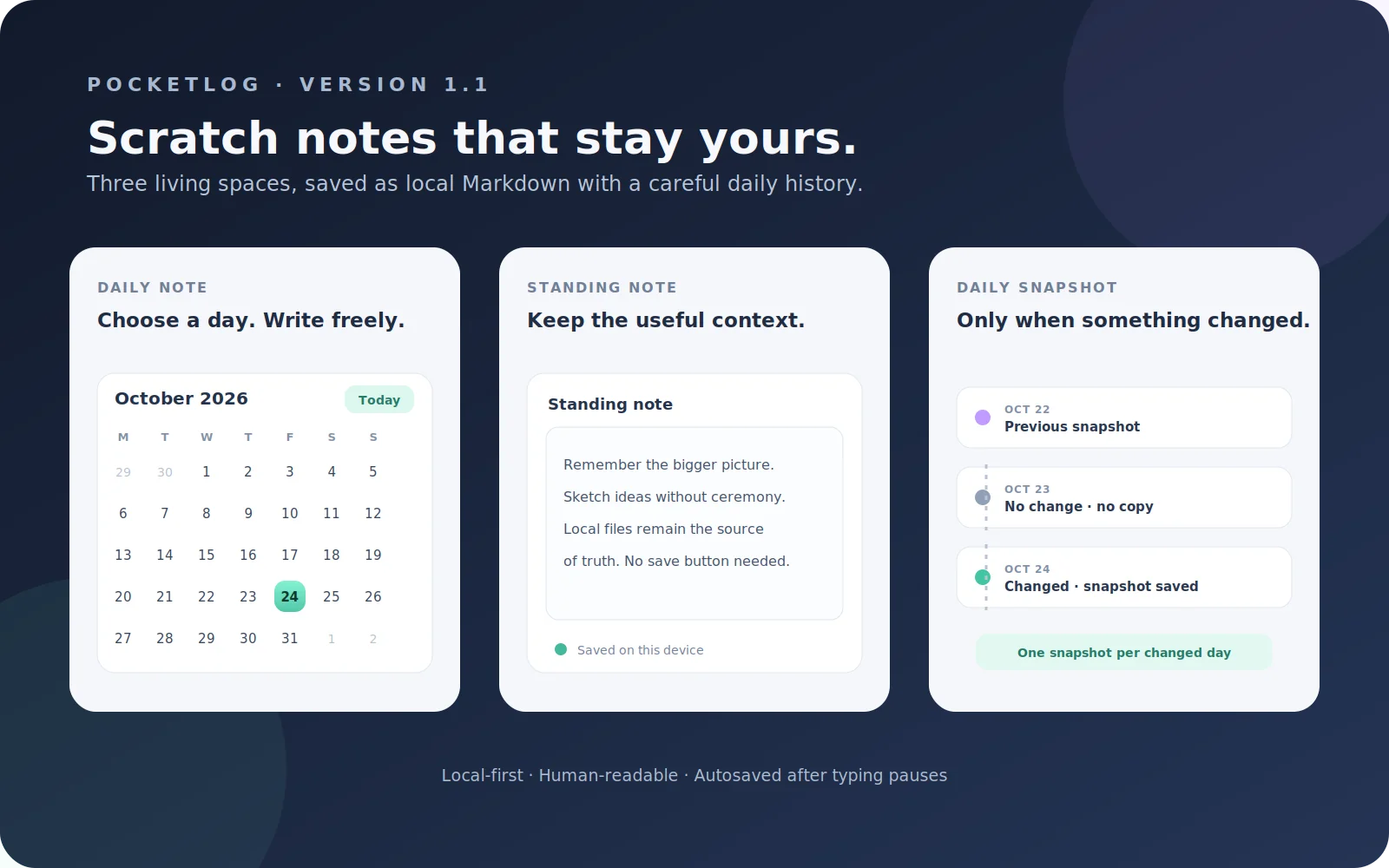
Prepared the next Pocketlog code version with inline project creation in Quick Capture, a Daily tab with a calendar picker and Today shortcut, and global and per-project standing-note editors. The note surfaces autosave after typing pauses, while changed standing notes receive one snapshot per local day. Existing project Markdown stays in place. Source and embedded-interface JavaScript passed syntax parsing; browser behavior and native file handling were not tested in this round, and iPhone verification remains pending.
Project art asset A self-authored concept diagram of the v1.1 note workflows, not a capture from Scriptable or an iPhone. It illustrates the implementation design; actual device verification remains pending.
Next: Install without removing existing data and verify save, calendar, snapshot, and Quick Capture behavior on iPhone.
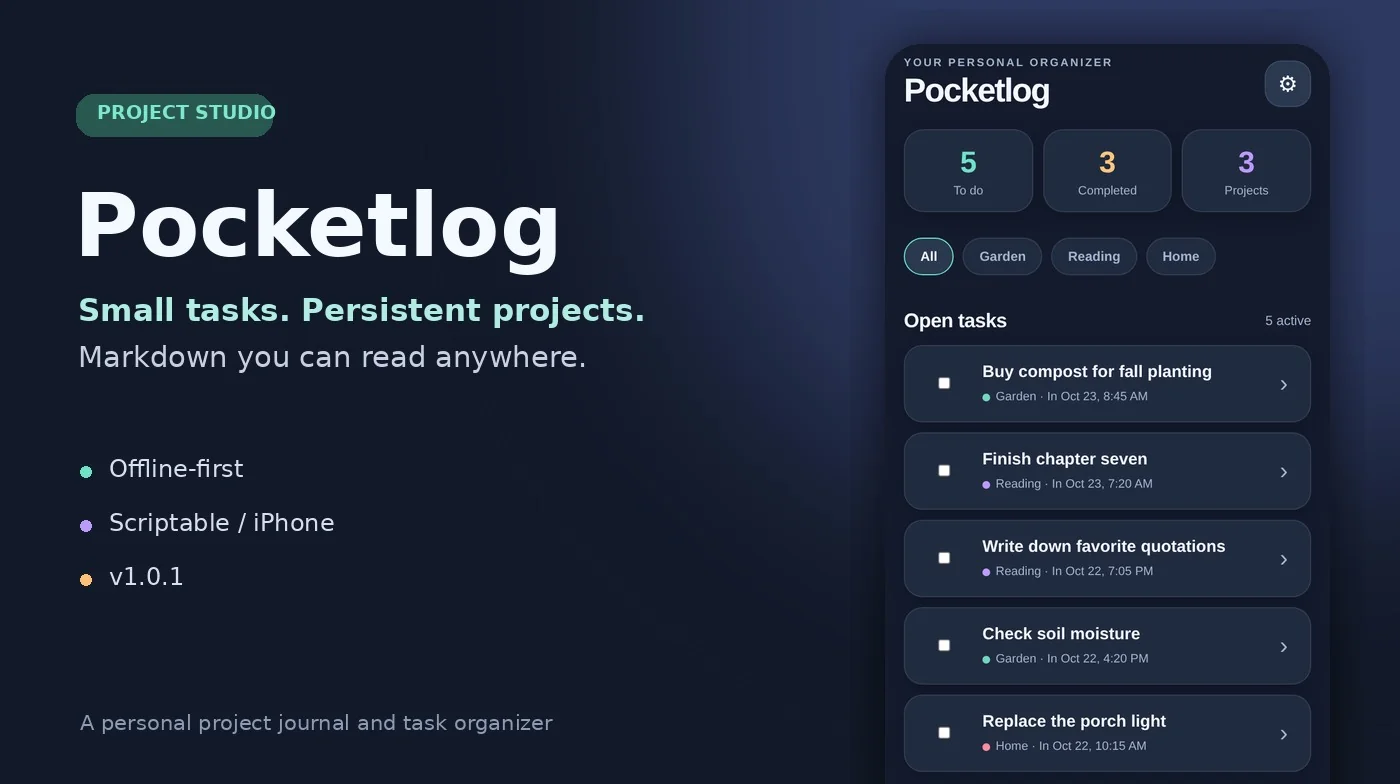
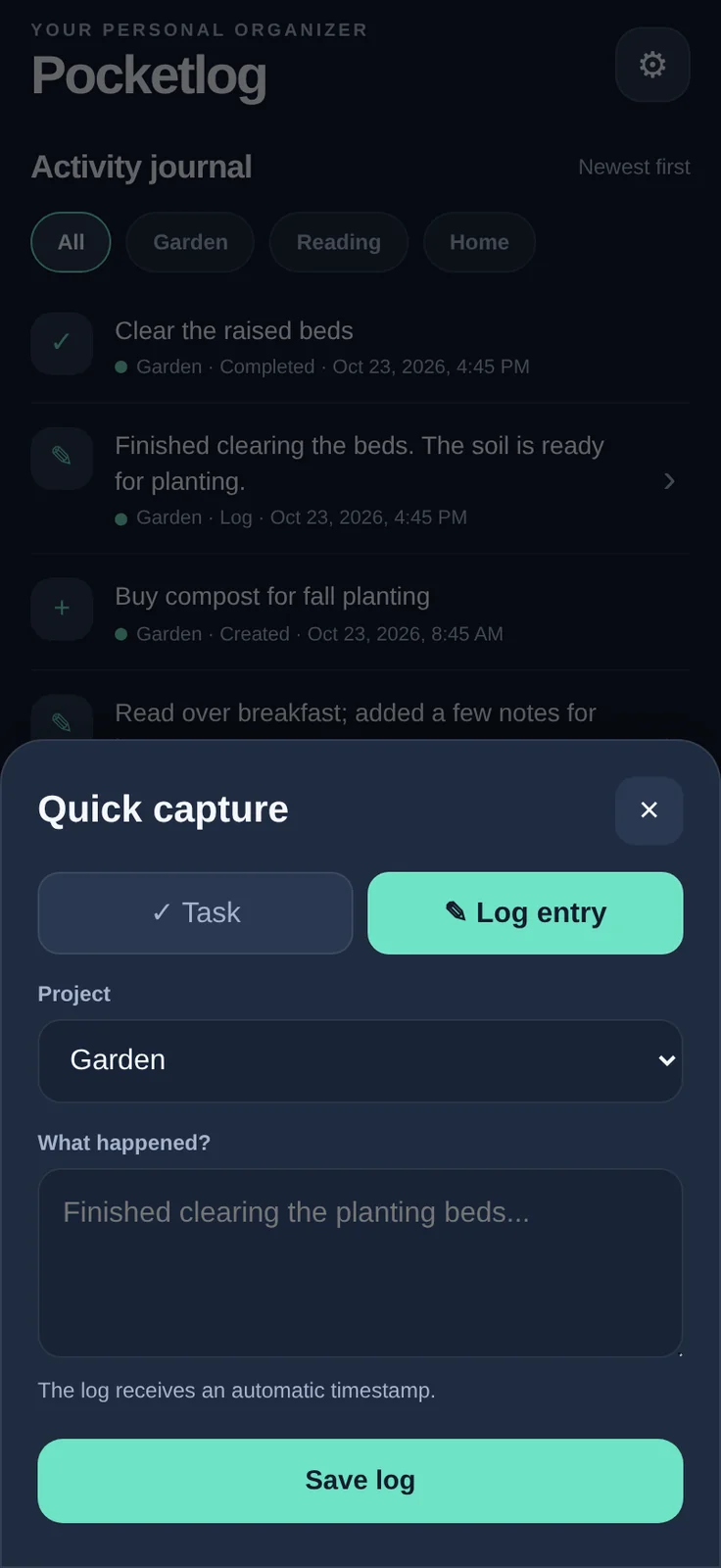
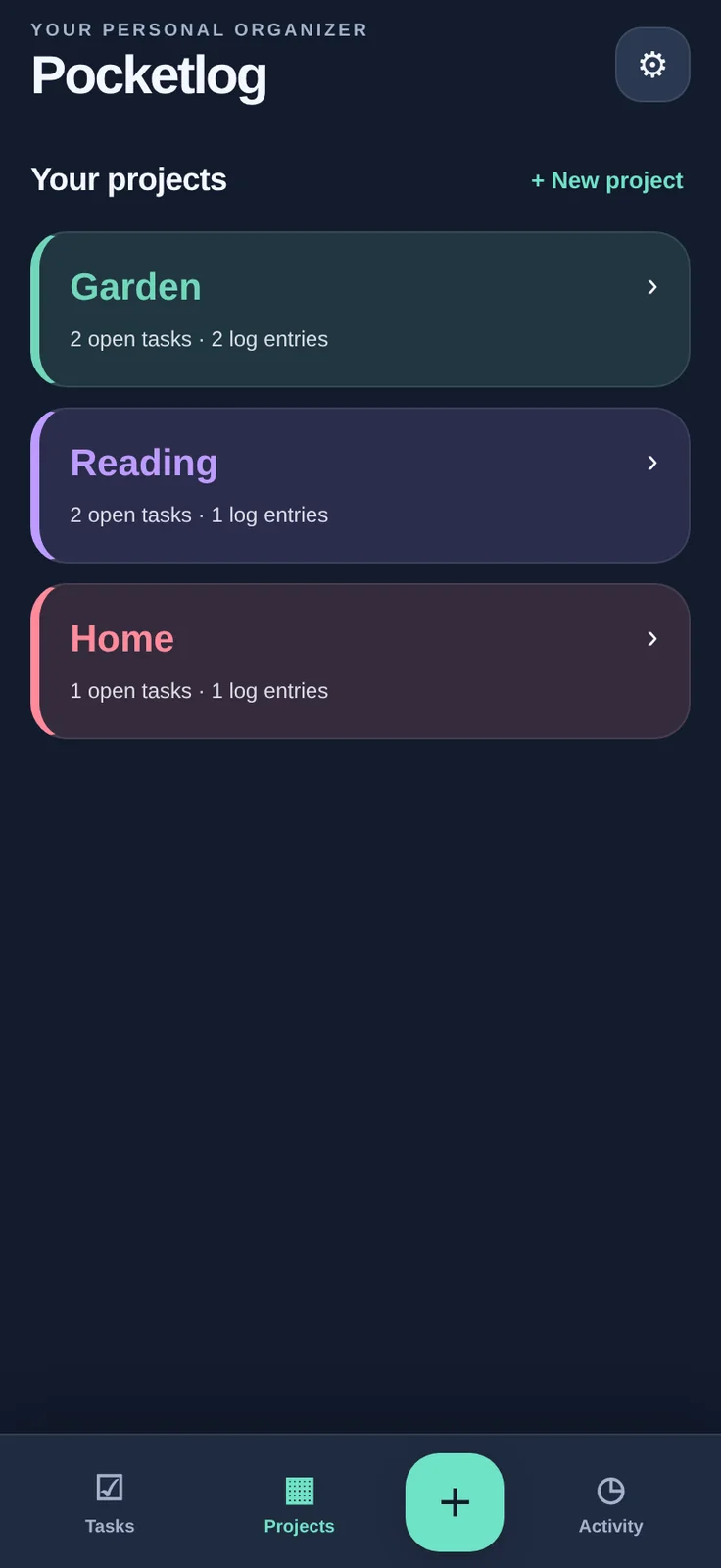
Pocketlog adapts a project log into a smaller, touch-first Scriptable app for iPhone. Its three main spaces are Tasks, Projects, and Activity; a Quick Capture button records a task or dated log against a project.
The record itself is the product: each project is stored as a human-readable Markdown file with tasks, creation and completion times, dated logs, and notes. Pocketlog is designed to work locally without an account or internet connection. Sync and server features are not part of this release.
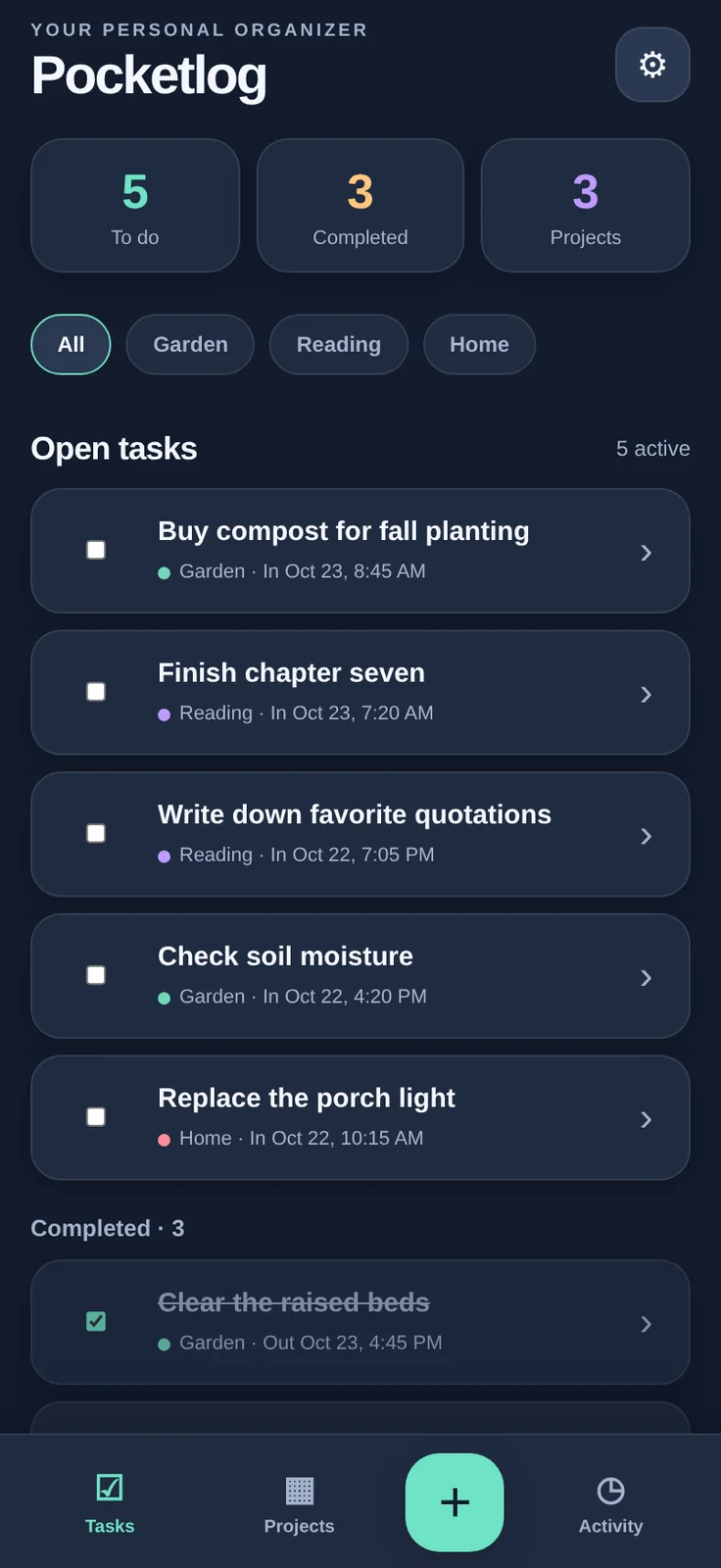
The first iPhone version exposed a settings replacement-save error. Version 1.0.1 changes how replacement files are staged and recovered. The supplied handoff reports JavaScript syntax checks, desktop Chromium UI checks, and strict no-overwrite FileManager mock tests passed. Those are local/browser/mock evidence, not confirmation of the iOS FileManager fix. The included images are desktop Chromium renderings of the actual embedded interface using fictional sample records; they are not iPhone screenshots. The owner-confirmed device result is the earlier v1.0 error; v1.0.1 persistence still needs iPhone confirmation.
The next checkpoint is to verify theme and data saves, project changes, offline relaunch, and Markdown exports on the phone while preserving the existing Pocketlog data folder.
Actual screenshot Quick Capture records a timestamped entry against a selected project. Desktop Chromium demonstration with fictional data, not an iPhone screenshot.Actual screenshot Three persistent projects with distinct colors in the Midnight theme; desktop-browser demonstration using fictional records, not an iPhone screenshot.Actual screenshot Tasks screen in the Midnight theme, rendered from the v1.0.1 interface in desktop Chromium with fictional demo data; not a native iPhone screenshot.
Next: Confirm v1.0.1 settings, task, log, project, offline relaunch and Markdown export behavior on iPhone.
Runtime activity
Process activity does not establish development progress. An old start without an end is unknown, not proof work is advancing.