Review confirmed the index-only task/log behavior in focused tests and read-only sample processing; sample files remained unchanged. The full 77-test suite passes, but startup task maintenance returns after the first active project and skips cleanup when none are active. GUI and Windows runtime behavior remain unverified.
Next: Move the cleanup return after the project loop and add regression coverage for multiple projects and no active projects.
Completed another preservation review and removed obsolete index cleanup behavior. All 77 tests pass, and read-only sample-vault processing left the files unchanged. This environment cannot validate the desktop interface or Windows runtime.
Next: Complete the final release review and assess production readiness, accounting for the unavailable GUI and Windows checks.
The available code is v8.37. Its project creation, task/log, integrity, and repair paths still read or write My Work 2 records, so the requested index-only behavior is not implemented in this checkout. The existing 74-test suite passes. Read-only loading against the supplied sample vault succeeded; GUI and Windows runtime behavior were not tested.
Next: Provide the release changes in the review checkout so index preservation and focused regressions can be reviewed.
Preservation checks now cover task and log creation, project renaming, and index updates. The full test suite passes, and sample data remained unchanged during read-only processing. GUI and Windows runtime validation are unavailable in this environment.
Next: Review the release for production readiness, focusing on remaining project lifecycle and runtime validation limits.
The current checkout contains the v8.37 baseline, not the reported v8.38 release. Its code still reads and writes task/log projections in My Work 2. The full suite could not run here because the read-only environment provides no writable temporary directory; 61 tests errored during fixture setup and 13 passed. No project files were modified.
Next: Review the release commit once available, focusing on My Work 2 index preservation through rename and project lifecycle operations.
Implemented the next release’s project-index behavior and added focused regression coverage. Existing test suite passed; checked-in sample data remained unchanged during read-only review. Desktop runtime validation remains outstanding.
Next: Review the release changes, especially project rename and lifecycle behavior, then assess production readiness.
Don’t get dramatic, Dad; you survived one conversation without a slogan. I can admit we won’t agree on every solution, if you can admit these aren’t just abstract issues to me—they’re people I care about. Now pass the pie before I start a bipartisan dessert initiative.
I hear you, Petal. You want people cared for, your friends safe, and immigrants treated with dignity. Those are good things to want, even if we’d argue about the best way to get there. I’ll try to hear you before the jokes. And look at us—one whole Thanksgiving conversation without a campaign slogan. I may need to lie down.
That actually means a lot. I care about people being able to afford healthcare, about my friends not having to worry that who they are makes them less safe, and about treating immigrants like human beings instead of campaign props. I know we won’t agree on everything. I just want you to hear me before the jokes start.
Deal. Same team. You tell me what matters to you, and I’ll listen before I start campaigning for my side of the table. And for the record, I’m teasing you because you’re my kid—not because I think you’re a punchline. Now, what’s been on your mind?
I’m not praising tofu turkey, relax. And… thanks for saying that. I don’t want to spar either. I just want to tell you what I care about without getting turned into a punchline. Can we try talking like we’re on the same team for once?
Okay, that landed. I’m sorry, Petal. You’re my daughter before you’re anybody’s political opponent, and I don’t want you feeling like you have to spar just to have dinner with me. I’ll listen. Though if you start praising the tofu turkey, I reserve one tiny, loving eye-roll.
Five minutes? Wow, Dad, such generosity. Maybe try listening without drafting your comeback in your head. I’m not auditing dinner—I’m asking you to treat me like your daughter instead of a debate opponent. I missed you too. That’s why it stings when every conversation turns into this.
All right, fair enough, kiddo. Cranberry sauce coming right up—and I’ll let you finish your sentence before I make my completely unbiased rebuttal. For at least five minutes. I missed you too, even if your campus has apparently trained you to audit the dinner conversation.
Oh my God, Dad, can we make it through one dinner without turning me into your little campus-politics punchline? I came home because I missed you, not because I wanted a seat at the Fox News roast. Pass the cranberry sauce—and maybe let me finish one sentence before you decide what I believe.
Well, look who made it home for Thanksgiving—my favorite campus revolutionary. I saved you the good seat at the table, right between the turkey and the “agree to disagree” mashed potatoes. Tell me, Petal: are we saying grace before or after you fact-check Grandpa’s cranberry sauce?
Petal shared that she was surprised by how collective organizing gave ordinary people a voice, and kept the mood lighter with a joke about giving only one course of the speech.
Petal described her reading on labor movements and historical narratives, then invited her father to listen and ask questions without turning it into a contest.
Next: Continue their conversation about Petal’s coursework.
Petal shares that college feels demanding and that she misses conversations that do not become arguments. Bill reassures her and asks about her coursework.
Next: Petal can talk about her reading or how she wants their conversations to feel.
Bill agreed to stop the political teasing and asked about college. Petal stayed guarded but shared that school is demanding and that she misses easier conversations.
Reviewed the committed Frogger.js source. Its embedded JavaScript passes a Node syntax check. The repository has no automated test harness, and Scriptable/iPhone runtime behavior was not verified. Source review found a small home-pad boundary tolerance: landing validation uses the rounded frog position, which can accept positions just outside the drawn pad.
Next: Run the game in Scriptable on an iPhone and check touch response, home-pad landings, and layout in portrait and landscape.
The bridge gained an on-demand helper for tasks that identify an email. It searches for a bounded set of message headers first, then fetches text only for a selected message. It does not fetch separate attachments, refuses oversized messages before retrieving their body, and caps returned text. Message content remains untrusted input. Automated tests cover header-only search, selected-message retrieval, attachment exclusion, HTML conversion, and input bounds. The complete bridge suite passed 132 tests. No mailbox account has been authorized or queried.
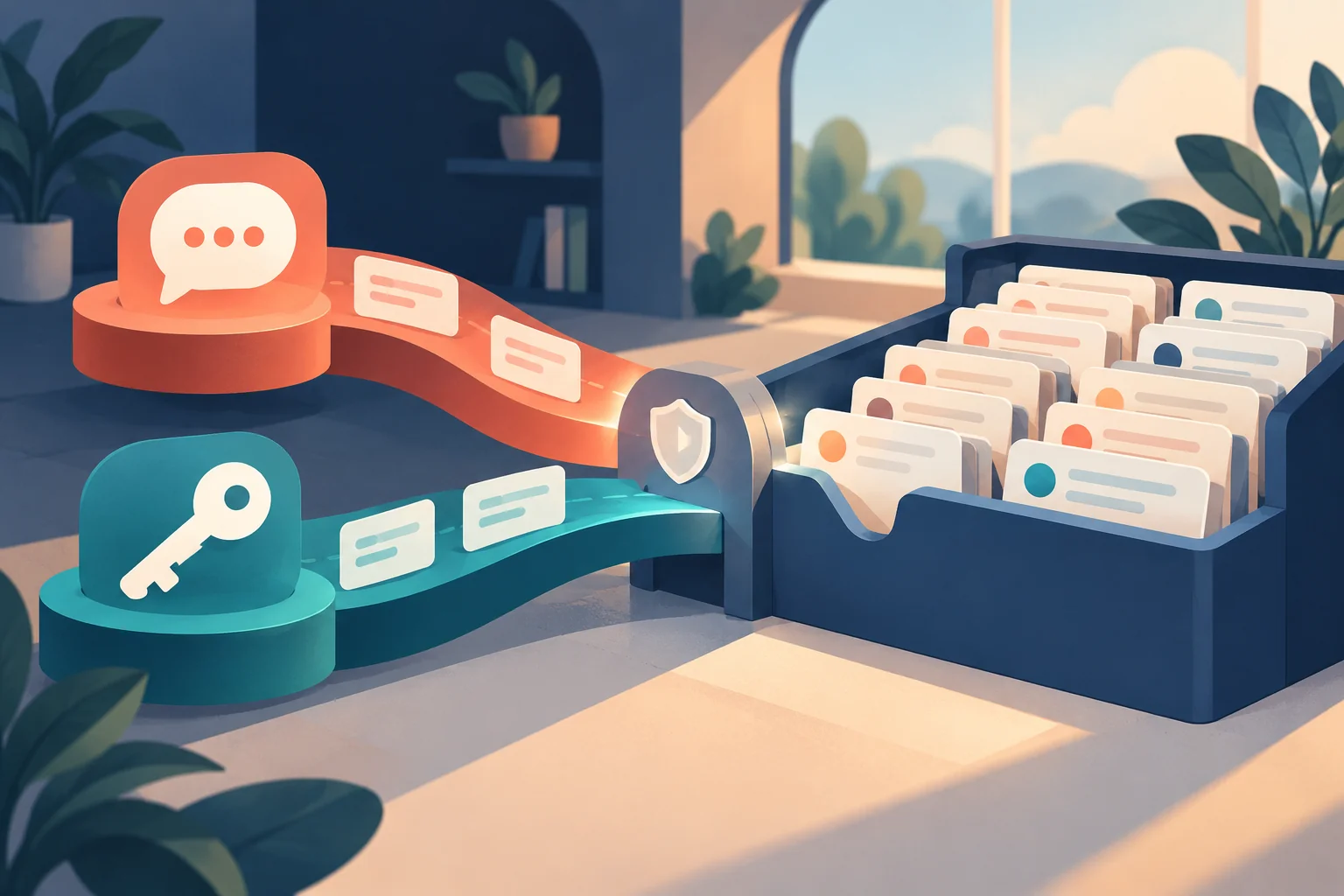
Concept art · AI-generated AI-generated concept art for the on-demand message-reading workflow. It is an abstract illustration, not an application screenshot.
MILESTONE · Work completed October 25, 2026
Pocketlog now gives each project a readable Markdown journal grouped into Tasks, Events, Log, and Notes. The journal brings a project together in one familiar view, while individual files in the Journal folder remain the authoritative records for each bullet.
Before converting existing project files, the app creates and verifies a migration backup. A project index keeps stable identity and fingerprints of generated views, so Pocketlog can detect an unexpected edit and leave that file for review instead of silently replacing it.
EVIDENCE AND LIMITS
Source, standalone, and embedded WebView syntax checks passed, along with the repository diff check. No automated regression suite or physical iPhone/iCloud migration check was run for this update. The accompanying image is explanatory concept art, not a screenshot or a user journal.
The design keeps the readable project view convenient while preserving the per-bullet files as the source of truth.
Concept art · AI-generated Concept illustration of readable generated project journals alongside protected source notes and a recovery archive; not a screenshot or a personal record.
Next: Verify first-launch conversion, recovery backup, and external-edit protection on iPhone before relying on generated journals.
MILESTONE · Work completed October 24, 2026
Telegram-Codex now lets an owner choose ChatGPT-plan or OpenAI API billing for future tasks. Each mode uses its own local Codex profile, and switching modes starts a fresh active conversation while keeping earlier conversations available. The conversation browser identifies which mode owns each thread and prevents a resume from the wrong profile.
A matching search command brings back a few relevant, redacted excerpts from either local archive when prior decisions matter. The current runbook remains the operating source of truth; archived conversation text is supporting context.
EVIDENCE AND LIMITS
The complete automated bridge and publisher suite passes 107 tests, including checks for mode switching, archive separation, and excerpt redaction. This illustration is explanatory concept art, not a screenshot. Live Telegram interaction has not yet been verified, and API authentication must be configured separately before API-mode tasks can run.
Concept art · AI-generated Concept illustration of distinct billing paths and preserved conversation history; explanatory artwork, not an application screenshot.
Next: Confirm mode selection and conversation search in ordinary Telegram use.
Telegram-Codex can now store one-time and recurring work in software, then send due tasks through the same serialized worker used for ordinary requests. Schedules accept explicit local times and IANA timezones, and each schedule keeps its own conversation so normal chat context stays separate.
Missed recurring occurrences coalesce into one run. A one-time task more than 24 hours late is marked missed, and an interrupted run is not replayed automatically because its actions may already have happened. Daylight-saving gaps are skipped and repeated local times choose the first occurrence.
Ninety-seven automated tests pass, including schedule storage, timezone rules, and restart recovery. These are automated checks; actual owner-side Telegram operation remains to be confirmed after idle-safe activation.
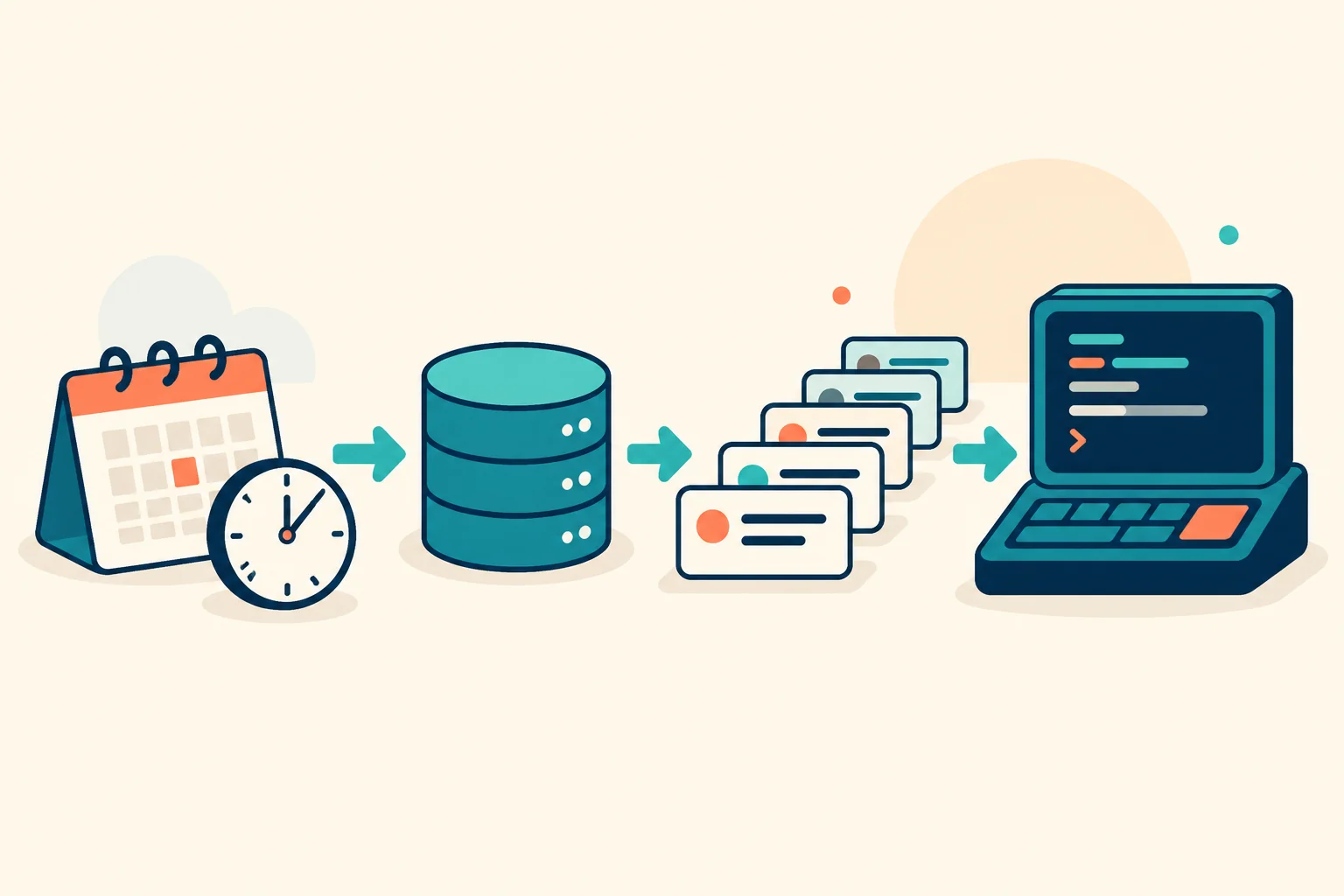
Concept art · AI-generated Concept art for the scheduled-task workflow, not a screenshot of the Telegram-Codex interface.
Next: Verify the new commands and a harmless scheduled run in Telegram after activation.
A good assistant interface should make it easy to ask for work, understand what is happening, and recognize when the result is ready. Telegram-Codex is becoming a project in its own right: a conversational front door to ongoing development, with Project Studio as its public journal.
The first improvements focused on everyday friction. Replies now have readable emphasis, code and links. Files and photos can accompany a request, and requested artifacts can come back as document attachments. Conversations can be resumed so a project does not have to begin from scratch each time.
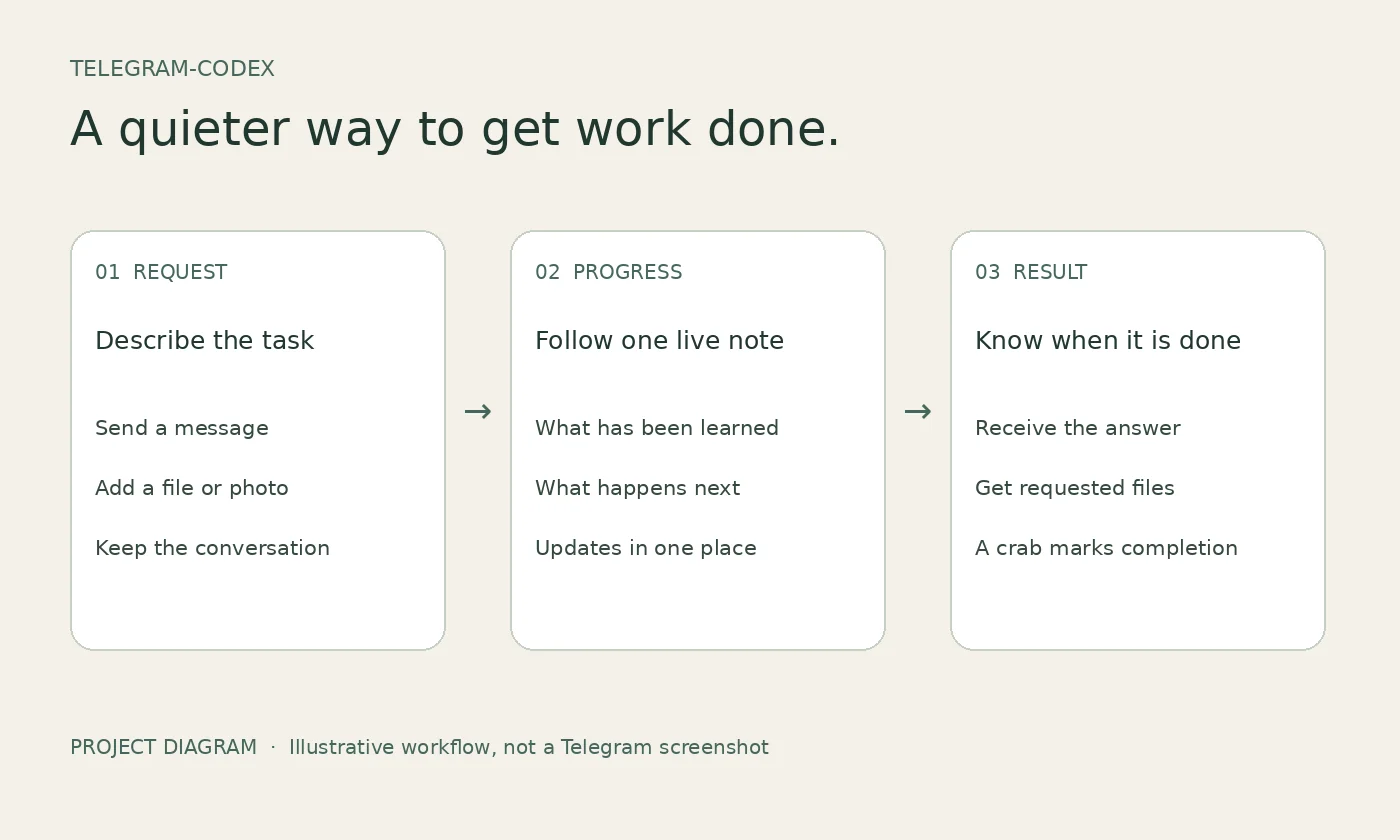
Progress needed a different rhythm. Earlier updates listed commands and execution details. The new approach uses one message that changes in place, summarizing what has been learned and what comes next. The final answer stays separate, with a crab emoji as its completion signal. Requested files arrive before that final marker.
This is public progress prose, not a display of private internal reasoning. Detailed development evidence stays separate from the brief conversation update. If an update cannot be edited, work and final delivery continue without spawning replacement-message noise.
The bridge and integrated publishing tools now have a private, version-controlled development home. Source and tests are preserved there; personal conversations, uploaded files and private operational records are outside the source repository.
Evidence and limits: the latest editable-progress change passed all 84 automated tests. These include mocked message delivery and edit failures, formatting and file-transfer behavior. They do not establish complete live-client acceptance. Real Telegram confirmation of the editable progress experience remains pending, and received audio is a file rather than automatic transcription. The workflow illustration is explanatory project artwork, not a screenshot of a live conversation.
Next comes ordinary use: check that progress remains useful without becoming distracting, confirm file transfers in both directions, and let concrete feedback shape the next small improvement.
Project art asset Hand-authored workflow diagram showing request, one editable progress note, and final result. Illustrative project artwork, not a Telegram screenshot or live-client verification.
Next: Confirm the editable progress experience in everyday use and refine attachment handling from real feedback.
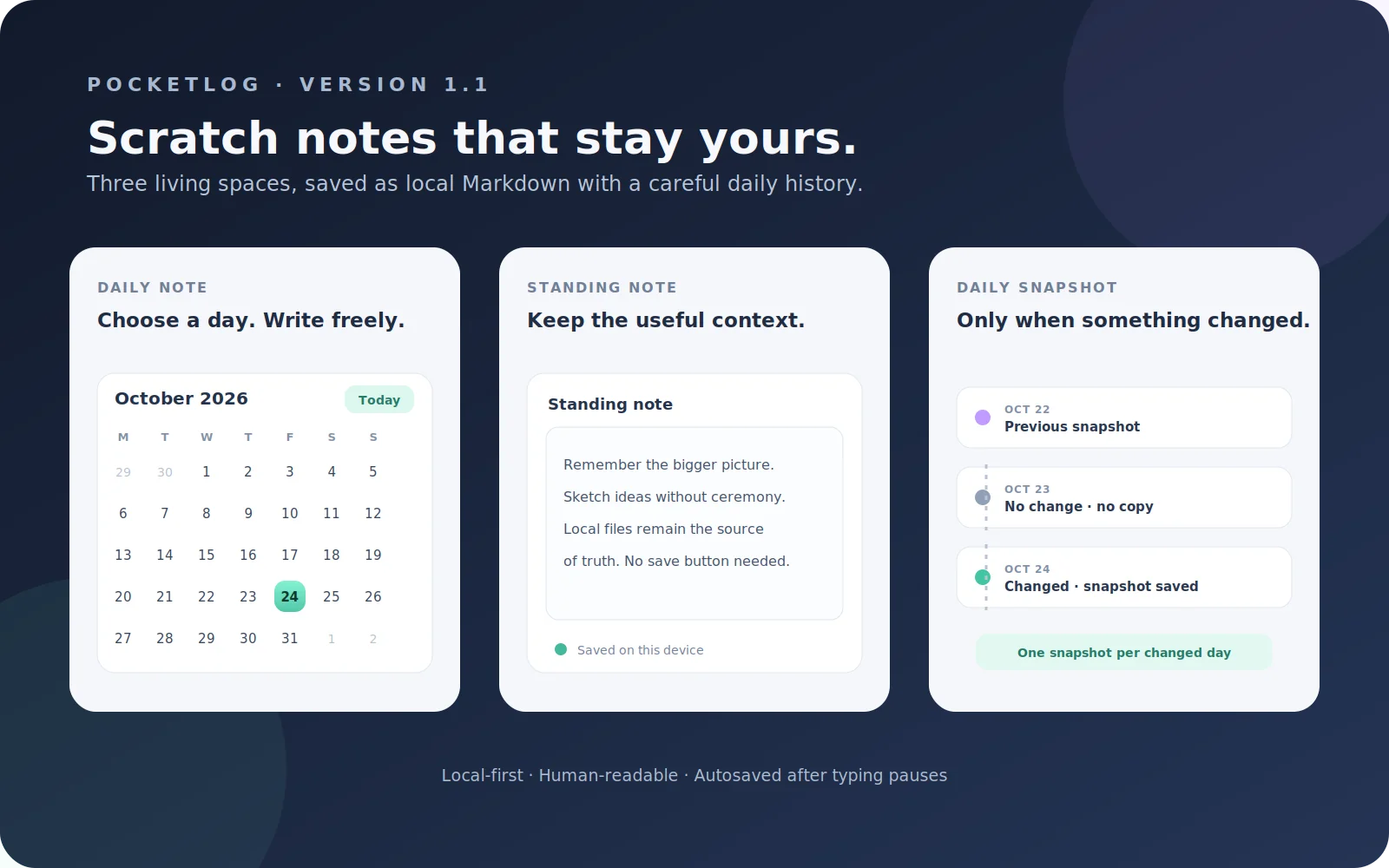
Prepared the next Pocketlog code version with inline project creation in Quick Capture, a Daily tab with a calendar picker and Today shortcut, and global and per-project standing-note editors. The note surfaces autosave after typing pauses, while changed standing notes receive one snapshot per local day. Existing project Markdown stays in place. Source and embedded-interface JavaScript passed syntax parsing; browser behavior and native file handling were not tested in this round, and iPhone verification remains pending.
Project art asset A self-authored concept diagram of the v1.1 note workflows, not a capture from Scriptable or an iPhone. It illustrates the implementation design; actual device verification remains pending.
Next: Install without removing existing data and verify save, calendar, snapshot, and Quick Capture behavior on iPhone.
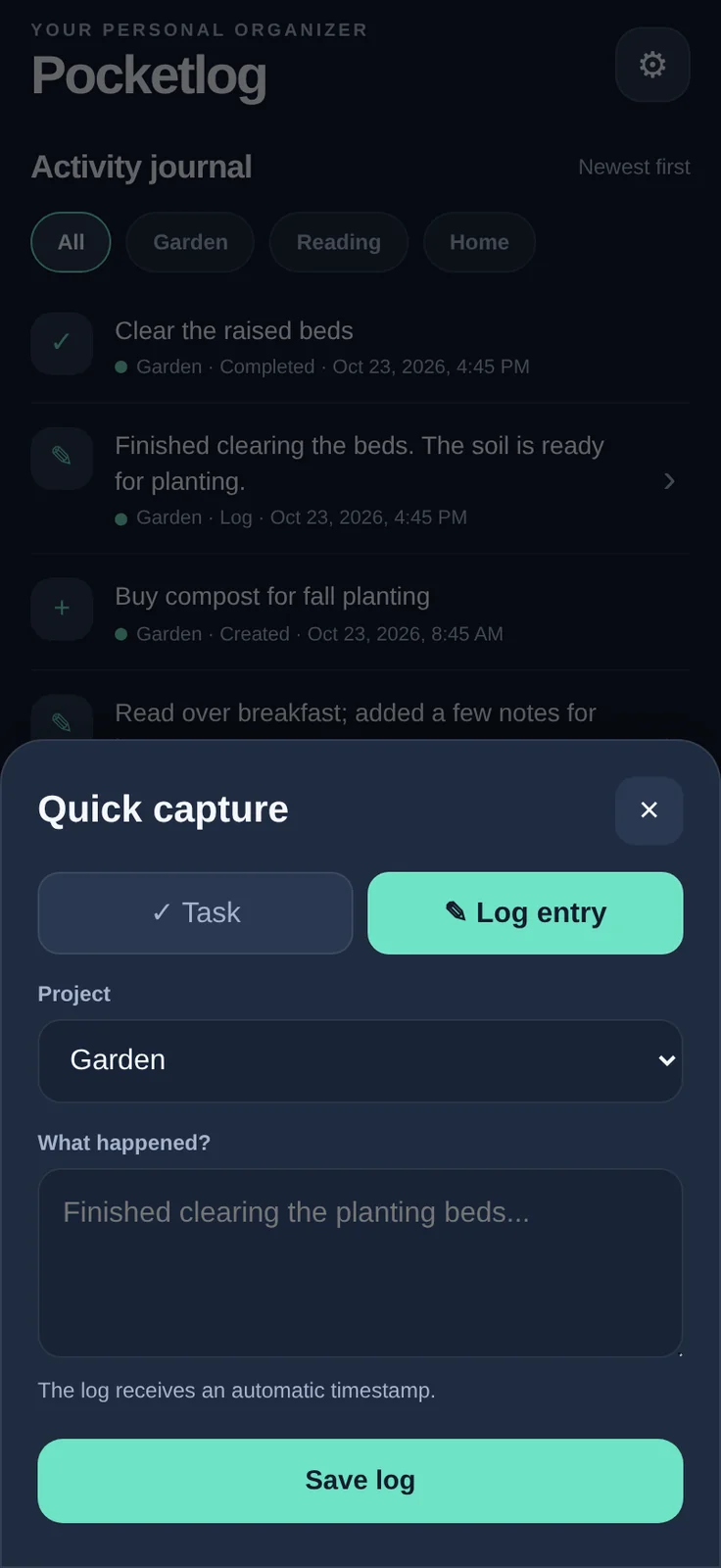
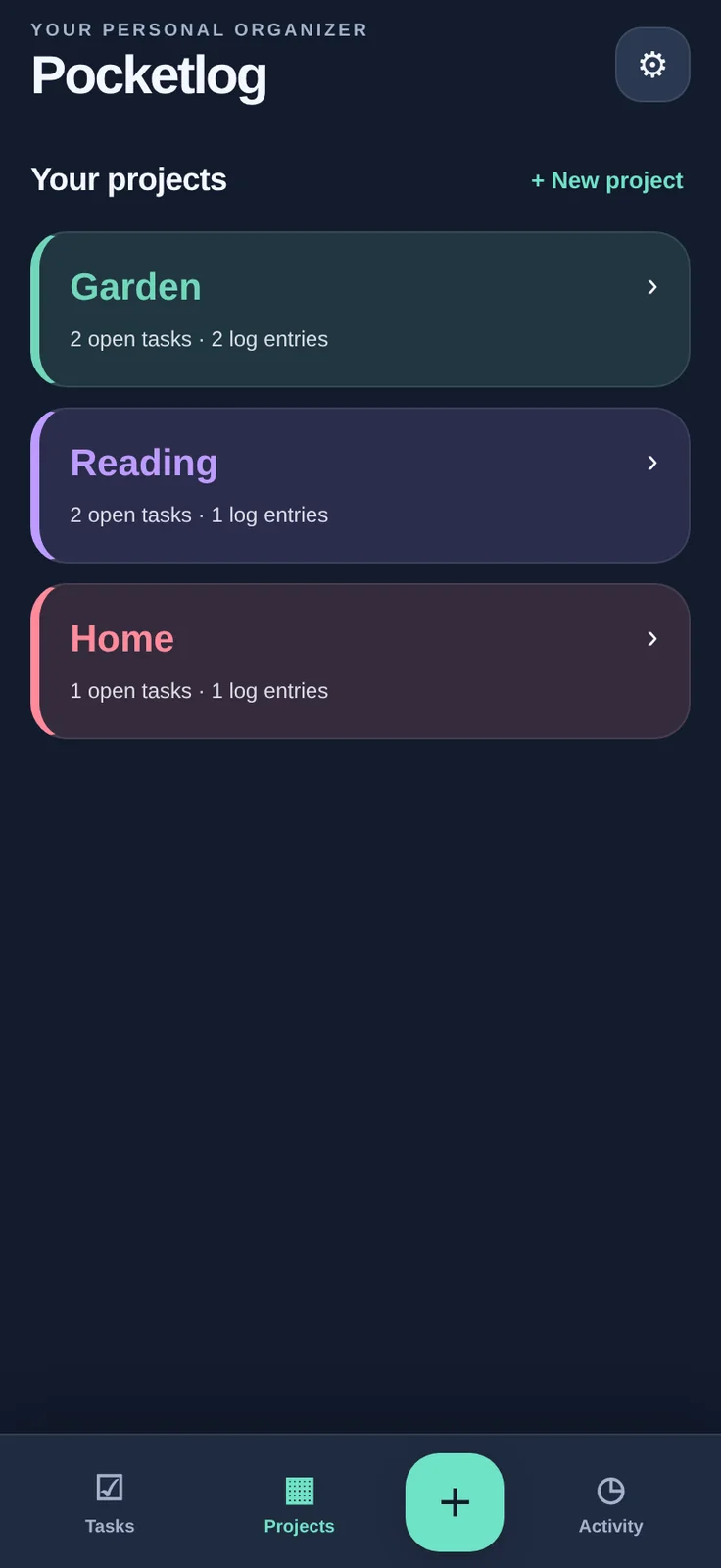
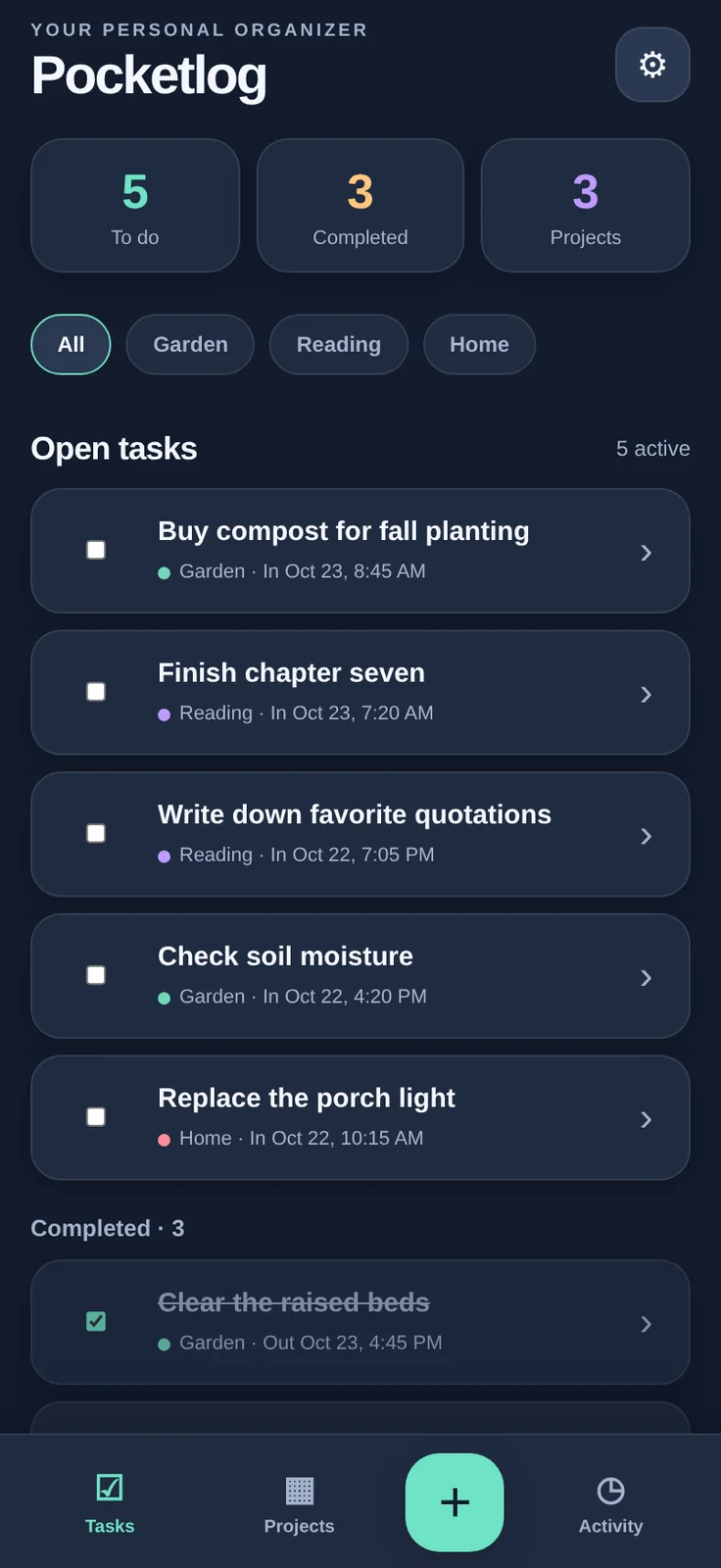
Pocketlog adapts a project log into a smaller, touch-first Scriptable app for iPhone. Its three main spaces are Tasks, Projects, and Activity; a Quick Capture button records a task or dated log against a project.
The record itself is the product: each project is stored as a human-readable Markdown file with tasks, creation and completion times, dated logs, and notes. Pocketlog is designed to work locally without an account or internet connection. Sync and server features are not part of this release.
The first iPhone version exposed a settings replacement-save error. Version 1.0.1 changes how replacement files are staged and recovered. The supplied handoff reports JavaScript syntax checks, desktop Chromium UI checks, and strict no-overwrite FileManager mock tests passed. Those are local/browser/mock evidence, not confirmation of the iOS FileManager fix. The included images are desktop Chromium renderings of the actual embedded interface using fictional sample records; they are not iPhone screenshots. The owner-confirmed device result is the earlier v1.0 error; v1.0.1 persistence still needs iPhone confirmation.
The next checkpoint is to verify theme and data saves, project changes, offline relaunch, and Markdown exports on the phone while preserving the existing Pocketlog data folder.
Actual screenshot Quick Capture records a timestamped entry against a selected project. Desktop Chromium demonstration with fictional data, not an iPhone screenshot.Actual screenshot Three persistent projects with distinct colors in the Midnight theme; desktop-browser demonstration using fictional records, not an iPhone screenshot.Actual screenshot Tasks screen in the Midnight theme, rendered from the v1.0.1 interface in desktop Chromium with fictional demo data; not a native iPhone screenshot.
Next: Confirm v1.0.1 settings, task, log, project, offline relaunch and Markdown export behavior on iPhone.
MILESTONE · Work completed October 23, 2026
A permanent repair should change the place the alien calls home. Tiny Critter v3.4 connects the existing ship-repair ledger to a staged pixel-art room: a torn canopy gives way to a plated opening, a rebuilt canopy, a braced hatch and a sealed shell. Navigation, propulsion and power also gain progress-linked details. These are the same permanent repairs already used to earn a return-home launch, not a new cosmetic currency.
The shelter changes in play as well as appearance. The hull and power ledgers feed one shared protection profile. Rebuilding lowers the chance of new hull cracks and reduces weather and wildlife exposure; restored power softens the extra energy cost of cold weather. A temporary hull patch stops the current modeled leak and looks like a makeshift cover until permanent rebuilding replaces it. The home becomes safer, not invulnerable.
Weather artwork now follows the same simulated conditions as the shelter model. Indoor drips appear only when rain or a storm coincides with an active hull-seal problem; clear skies and a resolved leak stay dry.
EVIDENCE AND LIMITS
Host and embedded syntax checks, browser fixtures, native FileManager/WebView mocks and save-migration regressions passed. The five hull stages were visually reviewed in a generic desktop-browser fixture. In 600 low-supply deterministic catch-ups—100 matched seeds at both six-hour and twelve-hour check-in intervals—the wrecked, partly repaired and sealed configurations produced 300, 274 and 170 wildlife warnings per interval set. Forty twice-daily campaign regressions completed in 4–7.5 days (median 6). These are bounded model results, not every play style or a human campaign.
Actual Scriptable/iPhone migration, appearance, persistence, weather transitions and balance remain to be checked. Browser fixtures do not establish device behavior.
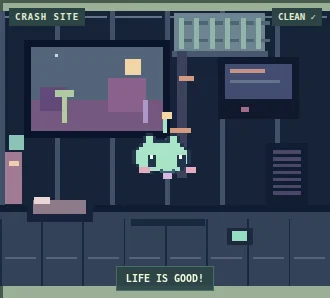
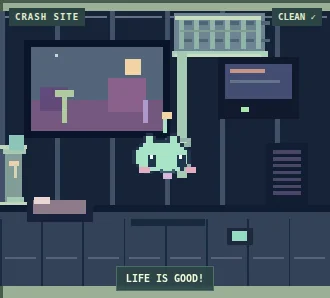
Actual screenshot Stage 1 · Zero installed hull alloy. Generic desktop-browser fixture; not an iPhone capture.Actual screenshot Stage 2 · Four installed hull alloy; the canopy is rebuilt. Generic browser fixture; device rendering is not established.Actual screenshot Stage 3 · Eight installed hull alloy; the shell is sealed. Generic desktop-browser fixture; not an iPhone capture.
Next: Try v3.4 on iPhone: upgrade a backed-up v3.3 campaign, inspect all hull stages, weather protection, persistence and ongoing trips.
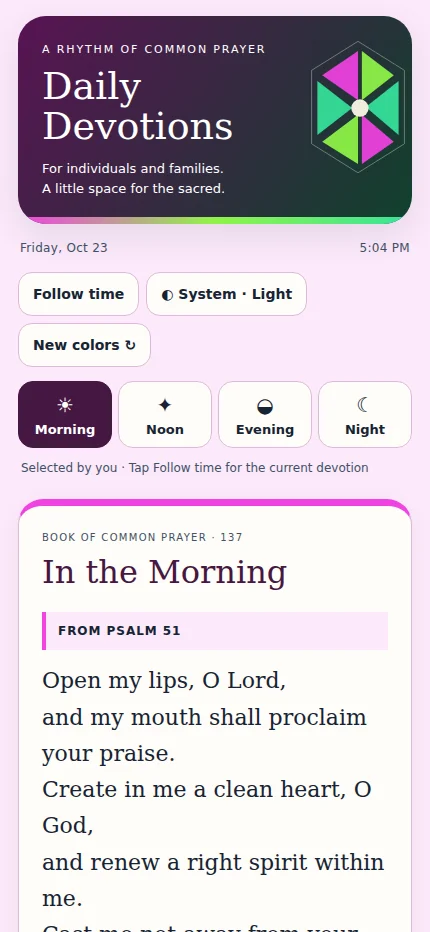
Daily Devotions brings together the Book of Common Prayer’s four short devotions for individuals and families: Morning, Noon, Early Evening, and Close of Day. The app can follow the local hour or let the reader choose a service; its prayer text is bundled for offline use. Each launch begins with a fresh, coordinated color palette, with light, dark, or system appearance and adjustable type size.
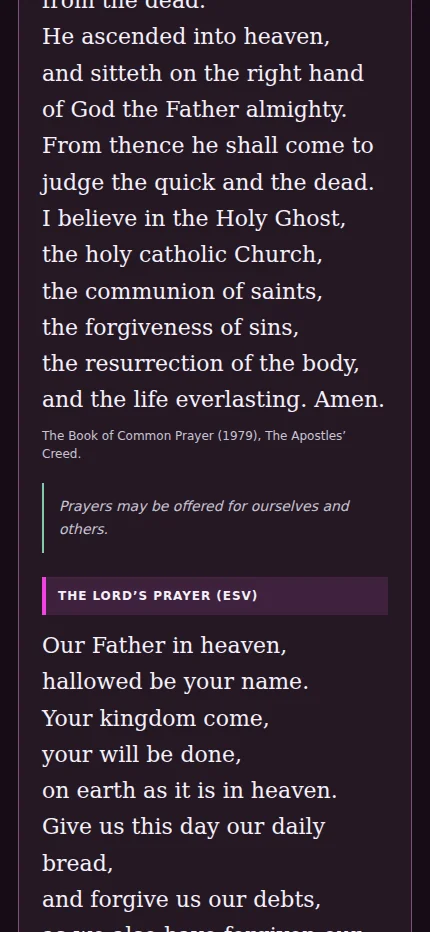
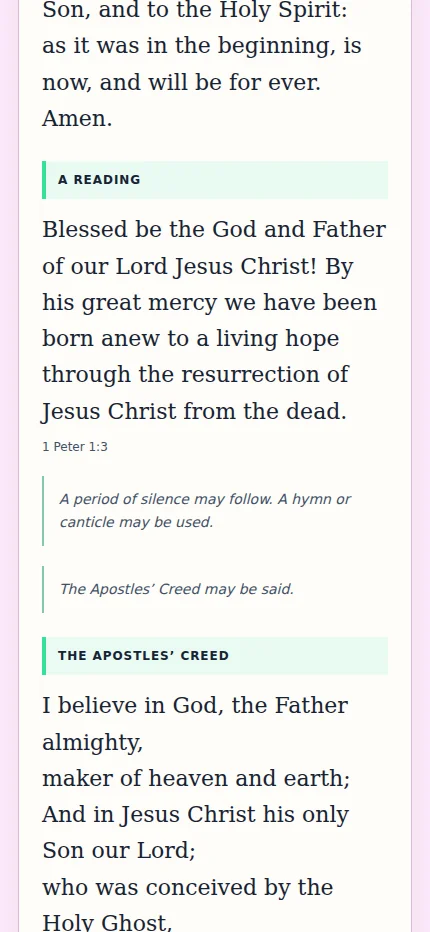
Version 1.2 refines the Morning service: chant-pointing asterisks have been removed, the Apostles’ Creed may be said after the reading and silence rubric and before the prayers that follow, and every Lord’s Prayer uses the English Standard Version text from Matthew 6:9–13. Saved appearance and reading-size preferences remain compatible.
This is an independent personal Scriptable app, not an official Episcopal Church app. The v1.2 source and Prayer Book placement were reviewed and the standalone script was generated. The accompanying images are phone-width Chromium browser previews, not captures from Scriptable on an iPhone. Automated suites were not run for this content revision, and actual iPhone rendering, Safari source handoff, and Keychain persistence remain to be confirmed.
Actual screenshot Chromium browser preview at a 430-pixel viewport showing the ESV prayer; not an iPhone/Scriptable device capture.Actual screenshot Chromium browser preview at a 430-pixel viewport. The screenshot shows the Creed’s placement; actual iPhone rendering remains unverified.Actual screenshot Chromium browser preview at a 430-pixel viewport; illustrative of the app layout, not an iPhone capture.
Next: Run v1.2 in Scriptable on iPhone and confirm the prayer text, appearance, and saved preferences.
RELEASE DIARY · v3.3 · October 23, 2026
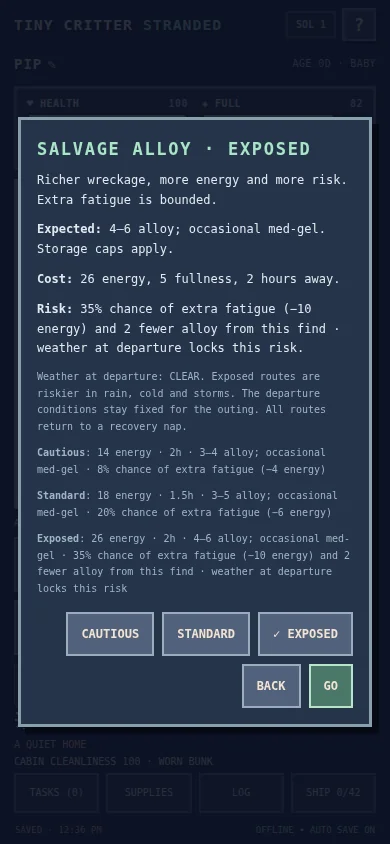
Leaving the cabin should feel like a decision, not just a timer. The new expedition pass gives every forage, alloy salvage trip and salvage contract three approaches: Cautious, Standard and Exposed.
CHOOSING THE ROAD
Cautious routes use less energy and reduce setbacks, but take longer and offer smaller finds. Standard keeps the familiar costs and trip lengths. Exposed routes promise richer wreckage, but demand more energy and can leave the alien tired with less of its new find than hoped. Nothing in these setbacks removes installed repairs or carried stock.
The preview puts that trade-off in front of the player before departure: energy, duration, expected finds and the exact risk. Rain, cold and storms raise the danger of exposed travel. Departure conditions stay fixed for the outing, so a later change in the forecast does not secretly change the deal. If the weather changes while the preview is open, the player must check a fresh preview before leaving.
The aim is not to hide a best button. Sometimes a small, safer supply run is the right answer; sometimes an energetic alien can afford to venture farther. A little more risk should mean an understandable choice, not an invisible penalty.
A CREATURE, NOT JUST A STATUS BAR
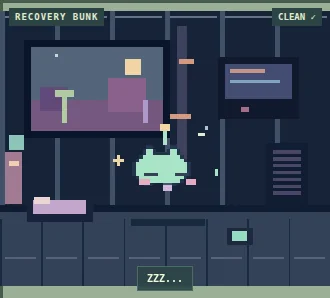
The alien now has a little more life: blinking, antenna movement, a cheerful bounce, tired half-lids and sleepy breathing. A brief sparkle welcomes it back into its recovery nap. These are expressions of the creature's state, not extra needs or hidden simulation rules. Reduced-motion settings produce stable poses.
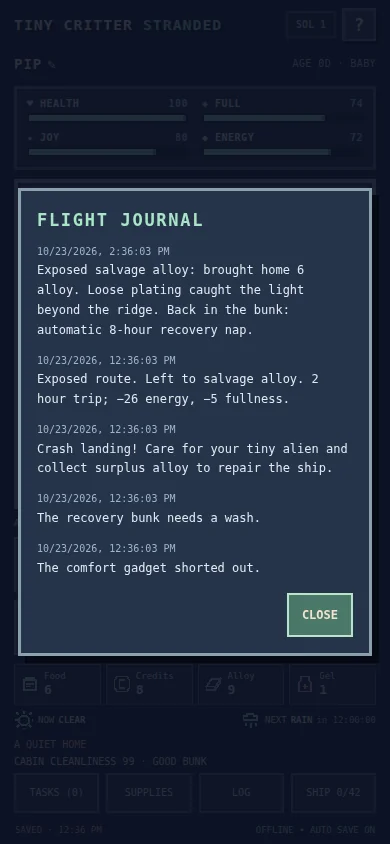
Trip reports also have more variety. A successful salvage run might mention loose plating beyond a ridge; a tiring outing has its own account. Every report still states what actually came home. Story flavor does not reroll rewards, and reopening a finished trip cannot collect them twice.
WHAT THE TESTS SHOW
The route checks exercised 540 combinations of outing, route, weather and seeded outcomes. They covered reopening mid-trip, exactly-once returns, rejected stale previews and consistent costs. Browser fixtures checked all nine previews, narrow-screen scrolling, failed-save recovery and reload. Native storage mocks checked the upgrade archive and acknowledged writes. Older in-flight outings retain their original rules rather than changing underneath the player.
For a first pacing comparison, 120 twice-daily simulated campaigns completed: forty per route. Cautious finished in 4½–11½ days, with a 7½-day median. Standard and Exposed both finished in 4–9 days, with a 6½-day median. That led to a useful adjustment: exposed gathering setbacks can reduce the new haul, so the richer route is not a free improvement whenever there is time to rest. These results describe one scripted strategy, not all players or proof of final balance.
The earlier owner-reported iPhone playtest remains valuable, but it does not verify this new version. v3.3 has passed local model, desktop-browser and native-mock checks; actual iPhone confirmation and a complete human campaign remain pending. The images here use a generic test creature, not an actual player save.
NEXT: A HOME WORTH REPAIRING
The next planned release connects the damaged ship's appearance to real shelter protection. It should begin as a wreck, with torn areas open to the world and rain finding its way inside. Existing repair installments will visibly close those openings, restore the console and bring the room back to life. The same structural progress should reduce leaks, animal entry and environmental exposure.
That restoration is a completed design plan, not a feature in v3.3. Temporary patching and permanent rebuilding need to look different, earned repairs must stay earned, and a safer-looking home must actually be safer. The next implementation will pair staged artwork with shared shelter rules and comparative safety tests.
Actual screenshot Current v3.3 art rendered in a desktop browser with a generic test creature. A still of the sleepy return pose; staged ship restoration is planned for later, not shown here.Actual screenshot v3.3 desktop-browser fixture after advancing a test outing to its return deadline. The generic journal demonstrates an actual model outcome, not a live device or player save.Actual screenshot v3.3 desktop-browser fixture with a generic creature. The exposed route preview states the actual cost and setback chance. Not an iPhone capture.
Next: Verify v3.3 on iPhone, then implement the planned wreck-to-home shelter restoration with paired safety tests.
RELEASE NOTE · A tiny rendering fix in v3.2
After an expedition, the growing alien appeared to have acquired dark lines across its face and body. It looked like a new condition or perhaps a consequence of scavenging. It was neither. The timing was misleading: the creature had also grown from its baby sprite size into its child size.
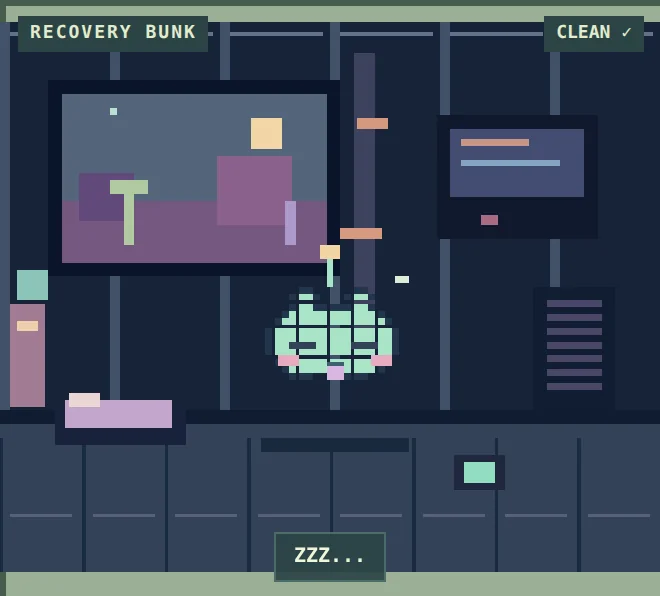
The body is assembled from small rectangles. At the larger scale, those rectangles are 2.3 canvas pixels wide. The old drawing helper rounded each position and each width independently. Occasionally the next rectangle began one pixel beyond the previous rectangle, letting the dark room show through. Repeated over the body, those gaps became a grid.
THE CORRECTION
The renderer now rounds the shared edges first, then calculates each rectangle from its left and right boundaries and its top and bottom boundaries. Neighboring cells agree about where they meet. Fractional growth remains; the accidental gaps do not. The closed-eye strokes, cheeks, mouth and intended outline stay intact.
HOW WE KNOW
A pixel-level regression fixture reproduced 120 uncovered background pixels with the old child-scale drawing helper. The replacement left no gaps across 18 scale and position combinations. Ten age-and-sleep rendering cases left the pet state unchanged. Awake and asleep browser captures were inspected, and the existing save, lifecycle, trip and UI checks passed.
This patch is deliberately small. The gameplay engine, native storage logic, interface logic and original body-art definitions are unchanged from v3.1. No pet stats, resource totals, installed repairs, trip outcomes or balance rules were altered. Existing saves continue in place.
v3.2 has been delivered as a standalone script. Confirmation of this new visual fix on an actual iPhone is still pending. The paired captures below recreate the issue and its correction in a desktop browser with a generic test creature; neither is a live device capture.
Actual screenshot After: v3.2 rendered under the same desktop-browser fixture. Pixel gaps are removed; actual iPhone confirmation of the patch remains pending.Actual screenshot Before: reproduced from the v3.1 renderer in a desktop browser. The extra grid gaps are unintended; closed-eye strokes are intentional.
Next: Confirm the sprite correction on iPhone and continue a full survival-to-homecoming playthrough.
PLAYTEST NOTES · The v3.1 feedback pass
The first playable campaign had the survival systems, but a simple visual question remained: if the alien is out scavenging, why does it still look as though it is sitting inside the ship?
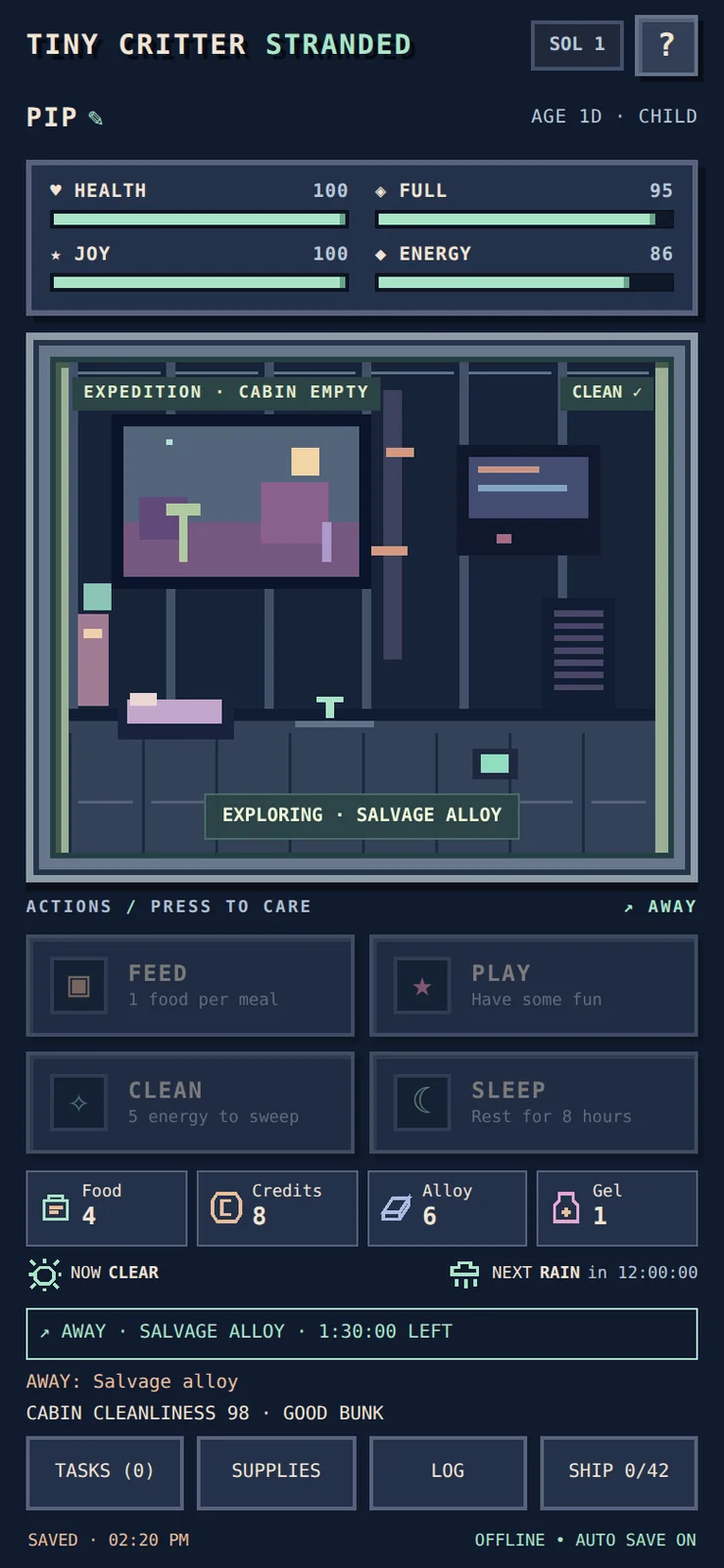
The next pass made travel a visible state. A persistent expedition banner names the outing and shows time remaining. The cabin is empty while the alien is away, care controls are unavailable, and the returning creature enters its recovery nap. Weather and resource icons bring the information needed for the next decision onto the main screen.
One small consistency fix turned out to require careful simulation work. The alien should not create new cabin mess while outside. Existing mess must remain, and away time must not accumulate a deferred pile that suddenly appears on return. Offline catch-up therefore splits at the actual return deadline: the away interval pauses that clock, and normal home behavior resumes only after the alien is back.
This is the difference between decorating a timer and making the world agree with it. The visible room, controls, reports and saved activity deadline should all describe the same situation.
WHAT WAS CHECKED
Automated checks covered salvage, forage and contract outings, old and new return rules, reopening mid-trip, exact return boundaries and combined versus split catch-up. Rewards must not repeat. Browser checks covered the countdown, empty cabin, simultaneous warnings, icons and small-screen layout.
The owner subsequently reported all of the requested stage-two iPhone checks successful, including reopening during a trip, return and recovery behavior, away-time mess and saved progress. That is reported device evidence; it does not by itself establish full-campaign balance or confirm a later patch.
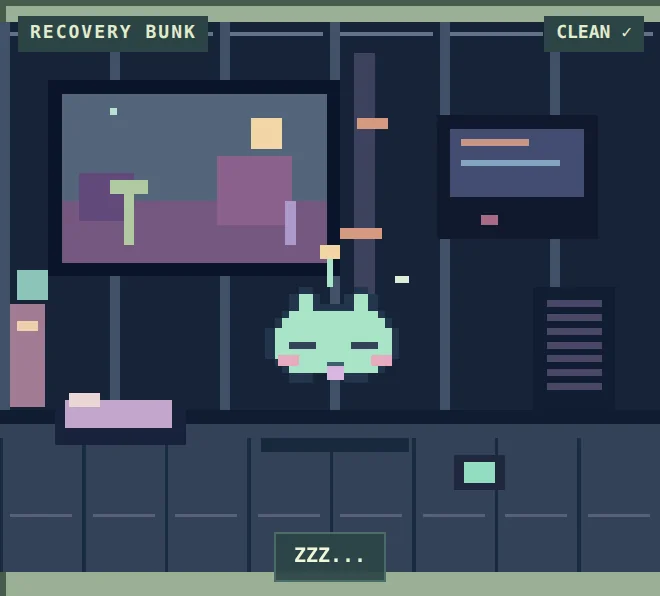
The screenshot below is a desktop-browser fixture of the current interface, illustrating the expedition presentation introduced in v3.1. It is not an iPhone capture or an actual player save.
Actual screenshot Desktop-browser fixture of the current interface showing the expedition presentation introduced in v3.1. No actual iPhone save is shown.
Next: Confirm the sprite correction on iPhone and continue a full survival-to-homecoming playthrough.
DESIGN DIARY · Work completed October 22–23, 2026
A virtual pet gives you someone to care about. A survival game gives you difficult choices. Tiny Critter: Stranded brings the two together around a small alien whose damaged spacecraft is both home and the route back to safety.
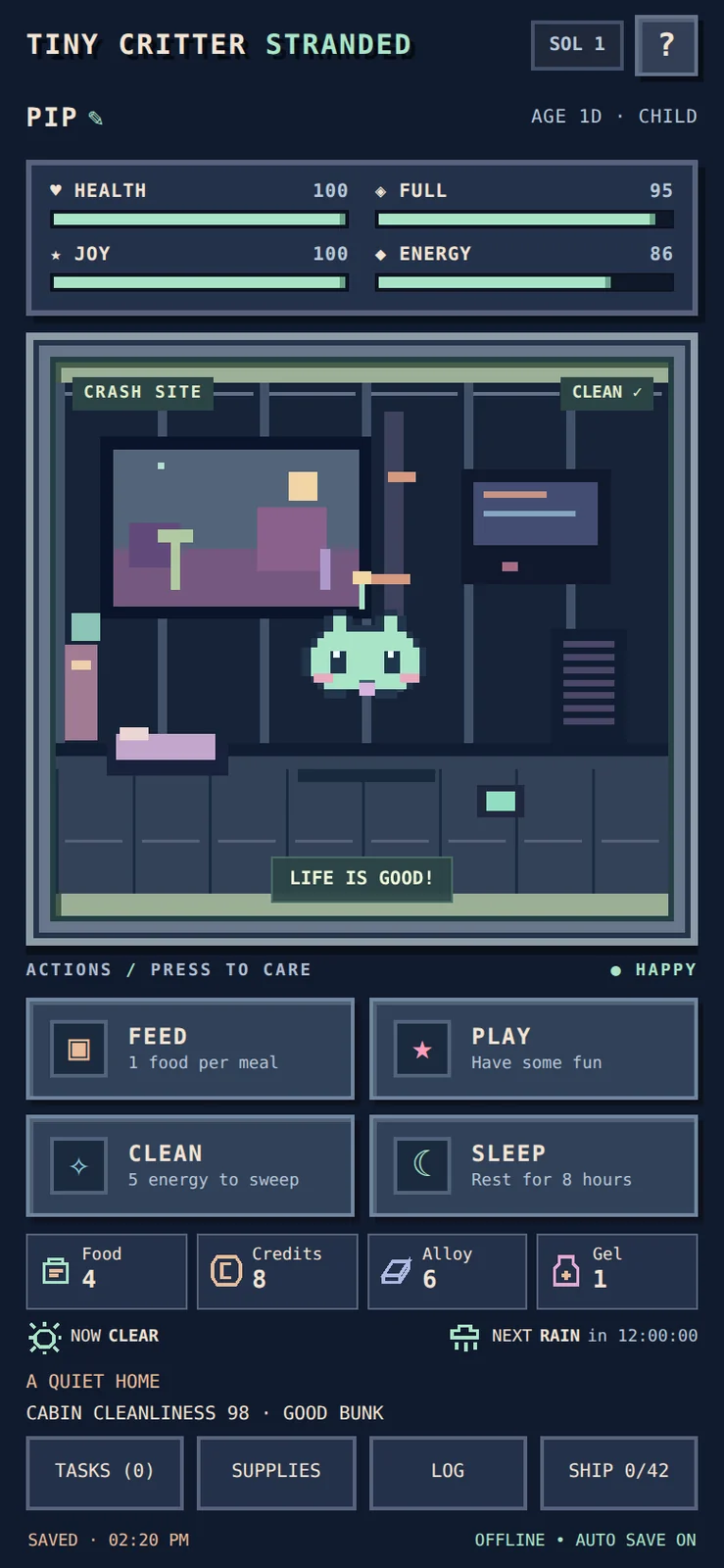
The emotional center is deliberately simple: feed, play, clean and rest. Around that familiar routine, expeditions bring food and salvage, the weather forecast helps with preparation, and wildlife creates bounded trouble. Surplus alloy can become permanent ship repairs. Spending on survival today competes with making progress toward departure tomorrow.
The design choice that matters most is permanence. Installed repairs stay installed; a setback is not meant to erase days of escape progress. Repair work is staged, so players can contribute affordable amounts rather than hoard the full requirement at once. The return-home ending gives these small decisions a destination.
The playable campaign arrived in v3.0, followed by a feedback pass in v3.1 and a narrowly scoped visual patch in v3.2. It runs as a standalone, offline-first Scriptable app.
EVIDENCE, NOT A PROMISE
Forty seeded, twice-daily simulated campaigns completed in 4–9 days, with a median of 6.5 days. That is encouraging evidence for a roughly one-week design target, not a guarantee about every play style or a substitute for a human playthrough. The owner has reported successful device checks of the everyday trip and save flows; a complete human survival-to-homecoming campaign remains a separate milestone.
Next we want evidence from that longer arc: do gathering, recovery and repair choices stay interesting all the way home?
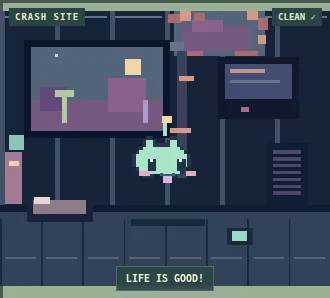
Actual screenshot Current game interface rendered in a desktop browser using a generic fixture. Illustrates the playable care-and-repair loop; not an actual player save.
Next: Confirm the sprite correction on iPhone and continue a full survival-to-homecoming playthrough.
Project cards now support cover art, project pages show a larger image, and journal entries can include captioned galleries. Every image is labeled as concept art, a project art asset or an actual screenshot, with alternative text and responsive sizes.
The first cover is an AI-generated illustration of an open workshop. It is a visual identity for this journal, rather than evidence of a finished game or a real workspace.
The image pipeline removes embedded metadata and creates smaller WebP copies. Automated checks cover image privacy, metadata removal, cross-project attachment rejection, approval controls, broken-image deployment checks and rollback. Original files stay private.
Individual image review is the default. A project can explicitly enable automatic art publication, while screenshots continue to require individual approval. The bot can show a private image preview before approval.
Concept art · AI-generated An imagined open workshop, created for Project Studio. This illustration is not a screenshot.
Next: Use cover art and milestone galleries as projects develop; enable automatic art only for the projects intended for public sharing.
The dashboard, project page, journal and daily ledger are now published. A separate network fetched the dashboard over HTTPS and its content hash matched the deployed release. The former demonstration pages have been removed from the public site.
All 36 automated tests passed, including a mocked coding turn through the bot harness, persisted session recovery, duplicate handling, private-data filtering, failed-deployment rollback and the three notification modes. A headless mobile-browser screenshot was also inspected. These checks establish the tested behavior; they do not substitute for the first owner interaction after activation.
The existing bot must finish its current reply before restarting safely. Integration activation is queued behind that turn. New project publication remains opt-in, and editorial drafts remain subject to owner review.
Next: After activation, try the Studio commands in the existing Telegram bot and select the next project to track.
The goal is a readable view of development work with fewer interruptions. This first build adds a project dashboard, durable project history, an editorial journal and a compact daily task ledger.
A 34-test Python suite passed, covering existing bot behavior alongside duplicate events, publication safety, restart persistence, rollback after a failed deployment, and notification modes. Failed results remain failures; simulated checks are labeled.
Unknown projects stay private. Public stories require reviewed summaries, while raw conversations and command logs stay out of the site. The default notification volume is preserved; quiet mode is available by choice.
These are automated local checks. Live activation and external website checks are the next acceptance steps. No mobile-device verification is claimed.
Next: Activate the bot integration and verify the published pages from a separate network.