When the alien leaves, the cabin should feel empty
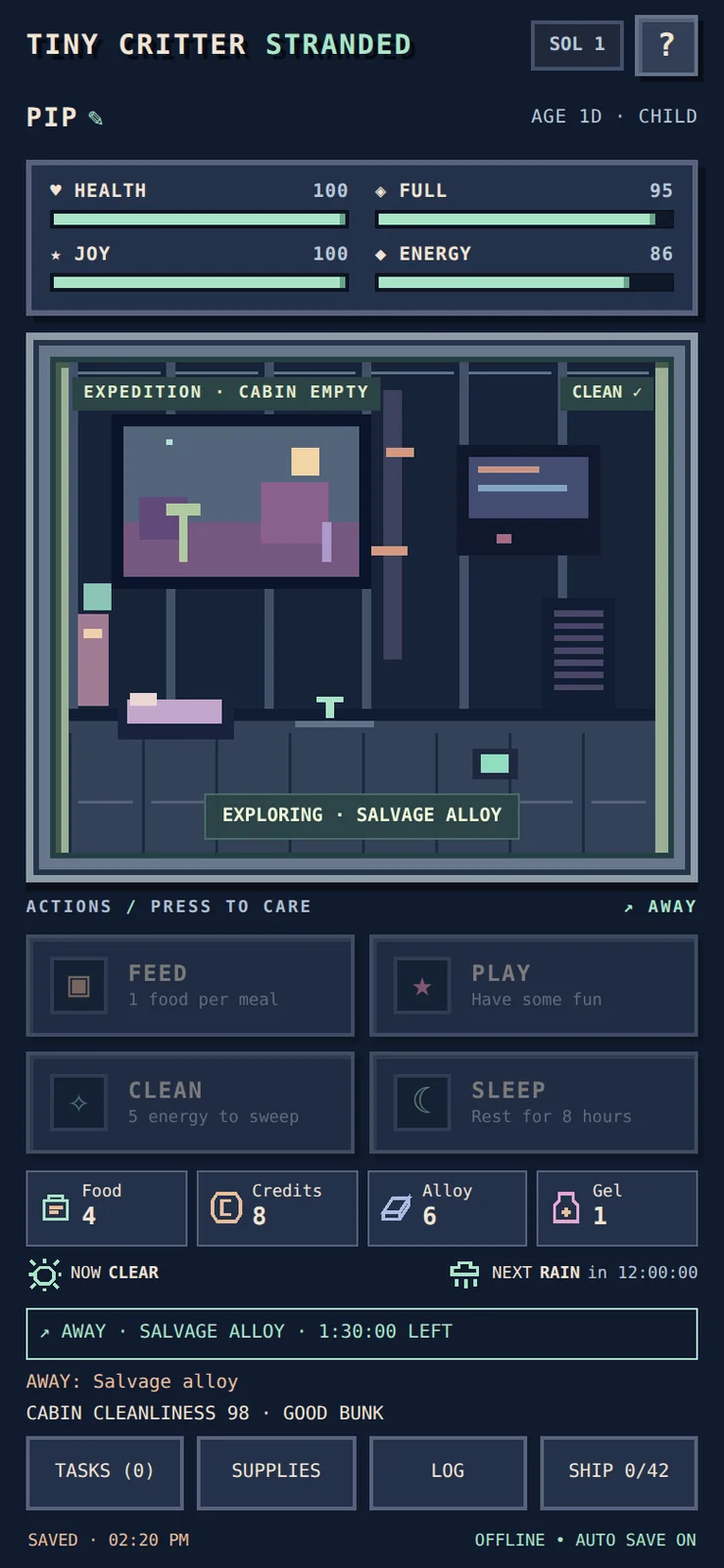
PLAYTEST NOTES · The v3.1 feedback pass The first playable campaign had the survival systems, but a simple visual question remained: if the alien is out scavenging, why does it still look as though it is sitting inside the ship? The next pass made travel a visible state. A persistent expedition banner names the outing and shows time remaining. The cabin is empty while the alien is away, care controls are unavailable, and the returning creature enters its recovery nap. Weather and resource icons bring the information needed for the next decision onto the main screen. One small consistency fix turned out to require careful simulation work. The alien should not create new cabin mess while outside. Existing mess must remain, and away time must not accumulate a deferred pile that suddenly appears on return. Offline catch-up therefore splits at the actual return deadline: the away interval pauses that clock, and normal home behavior resumes only after the alien is back. This is the difference between decorating a timer and making the world agree with it. The visible room, controls, reports and saved activity deadline should all describe the same situation. WHAT WAS CHECKED Automated checks covered salvage, forage and contract outings, old and new return rules, reopening mid-trip, exact return boundaries and combined versus split catch-up. Rewards must not repeat. Browser checks covered the countdown, empty cabin, simultaneous warnings, icons and small-screen layout. The owner subsequently reported all of the requested stage-two iPhone checks successful, including reopening during a trip, return and recovery behavior, away-time mess and saved progress. That is reported device evidence; it does not by itself establish full-campaign balance or confirm a later patch. The screenshot below is a desktop-browser fixture of the current interface, illustrating the expedition presentation introduced in v3.1. It is not an iPhone capture or an actual player save.
Next: Confirm the sprite correction on iPhone and continue a full survival-to-homecoming playthrough.